Stripe Connect: Online Card Payments for Organisers
Overview
When customers buy tickets online, you need a way to receive those payments. Stripe Connect links your organisation to your own payment account, so funds from ticket sales go directly to your bank rather than being held by a third party.
At its simplest, Stripe Connect answers one question: How do I receive the money when someone buys a ticket?
Who uses this: Organisation administrators who want to receive payments directly.
Key capabilities:
- Receive card payments directly to your bank account
- View all transactions and payouts in your payment dashboard
- Process refunds when needed
- Works with all major UK banks and card providers
- Industry-standard security handles card data safely
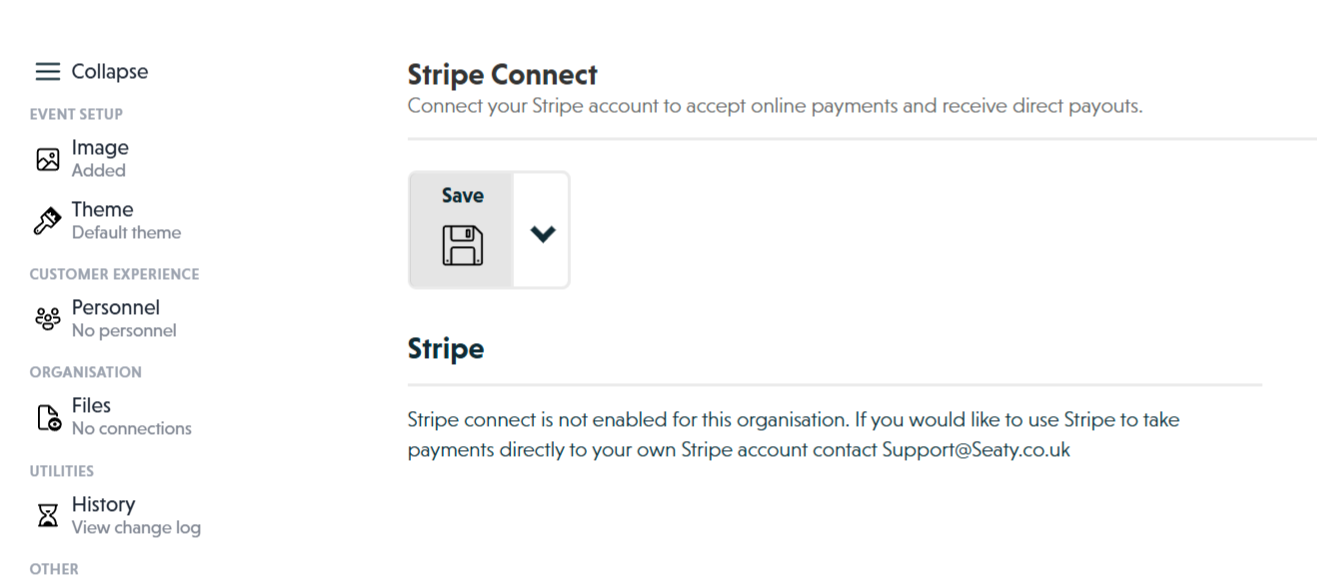 Stripe Connect section showing connection status and terms
How It Works
At a glance: You connect a payment account once, then all ticket purchases flow directly to your bank.
1. Request access and connect your account
Before you can connect, your organisation must have this feature enabled. Contact Support@Seaty.co.uk to request access. Once enabled, you'll see a connection option in your organisation editor's Stripe section.
2. Complete verification through the payment provider
When you click to connect, you're taken to a secure external site to verify your identity and link your bank account. This includes providing personal or business details, bank information, and identity documents as required by financial regulations.
3. Receive payments automatically
Once connected, every ticket purchase processes through your linked account. Funds arrive in your bank account according to your payout schedule, typically within 2 business days.
4. Manage refunds when needed
If an event is cancelled or a customer needs a refund, you process it through the Seaty platform. The refund is deducted from your next payout or debited from your bank account.
Think of it this way:
- Without Stripe Connect - Seaty handles payments and pays you later
- With Stripe Connect - Payments go directly to your account; you're in control
- Your responsibility - You must have funds available for refunds if events are cancelled
Prerequisites
Before connecting, ensure you have:
- A saved organisation (you cannot connect until your organisation exists in the system)
- A valid UK business or individual tax status
- Bank account details for receiving payouts
- Business information (if operating as a company or charity)
Why must the organisation be saved first? The connection links to your specific organisation record. Without a saved organisation, there's nothing to link to.
Connecting Your Account
Understanding the Terms
When connecting, you agree to:
- Assume full responsibility for refunding events if they are cancelled
- Retain sufficient funds to cover potential refunds to customers
- Understand that Seaty accepts no liability for money owed back to attendees
Why these terms? Because payments go directly to you, only you can issue refunds. Seaty cannot refund customers on your behalf.
The Connection Process
- Open your organisation in the editor
- Click Stripe in the side menu
- Review the terms displayed on the page
- Click the connection button to begin
You'll be redirected to a secure external site where you can:
- Create a new payment account or sign in to an existing one
- Provide your business or personal details
- Connect a bank account for payouts
- Complete identity verification
After authorising the connection, you'll return to Seaty and your account will be linked.
Verification Requirements
Financial regulations require verification to prevent fraud. During connection, you'll provide:
- Personal or business details depending on your organisation type
- Bank account information for receiving payouts
- Identity documents such as photo ID
- Tax information (National Insurance number, Company UTR, or charity registration)
Typical timeframes:
- Most accounts verify instantly or within 24-48 hours
- Additional documentation may be requested
- You can begin accepting payments before full verification completes, though payouts may be held until verification finishes
How Payments Flow
When a Customer Buys a Ticket
- Customer selects tickets and proceeds to checkout
- Payment processes through your connected account
- Customer receives confirmation with receipt
- Funds appear in your payment dashboard
When You Receive Money
- Card payments process immediately
- Payouts transfer to your bank on a schedule (default is daily, Monday through Friday)
- Timing is typically 2 business days after the transaction
- Weekend sales process on the next business day
Fee Structure
Each transaction involves several fees:
| Fee Type | Description | Who Pays |
|---|---|---|
| Card processing fee | Percentage plus fixed amount per transaction | Deducted from payment |
| Platform fee | Seaty's fee for the ticketing service | Deducted from payment |
| Organisation service fees | Booking fees you configure | Paid by customer |
The exact fees depend on your card provider's pricing and your agreement with Seaty. You receive the ticket price minus processing and platform fees.
Example Payment
For a GBP 50 ticket purchase:
- Customer pays GBP 50.00 (plus any booking fees you configure)
- Card processing fee deducted (approximately GBP 1.00)
- Platform fee deducted (varies by agreement)
- Remaining amount deposited to your bank account
Bank Account Requirements
Your receiving bank account must be:
- UK-based bank or building society
- In your name (individuals) or organisation name (companies/charities)
- Able to receive Faster Payments
You'll provide your sort code and account number during the connection process.
Why must the account match your organisation? Financial regulations require the receiving account to belong to the verified entity.
Processing Refunds
Your Responsibilities
When using direct payments, you are fully responsible for processing refunds:
- If you cancel an event, you must refund all ticket holders
- You must retain sufficient funds to cover potential refunds
- Seaty does not hold funds on your behalf
How to Process a Refund
Refunds are managed through the Seaty platform:
- Navigate to the order you wish to refund
- Select the tickets to refund
- Confirm the refund amount
- The refund processes through your connected account
Refunds appear in the customer's account within 5-10 business days. Funds are deducted from your next payout or debited from your bank account.
Fee Handling on Refunds
When you issue a refund:
- Card processing fees are not refunded by the payment provider
- Seaty platform fees are refunded to your account
- Your organisation service fees should be refunded to the customer
Viewing Your Transactions
Access your payment dashboard to:
- View all transactions and payouts
- Download financial reports
- Update bank account details
- Manage payout schedules
- View customer disputes or chargebacks
- Access tax documents
Checking Payout Status
- Log in to your payment dashboard
- Navigate to the balance or payouts section
- View detailed breakdowns including fees
If a Payout Fails
If a payout fails (incorrect bank details, for example):
- You'll receive an email notification
- Update your bank details in your payment dashboard
- The payout will retry automatically
Disconnecting
If you need to disconnect your payment account:
- Contact Support@Seaty.co.uk with your request
- Ensure all pending payouts have been processed
- Complete any outstanding refunds
- Support will assist with the disconnection process
Note: Disconnecting prevents you from accepting online card payments until you reconnect.
Security
How Card Data is Protected
- Card details never touch Seaty's servers or yours
- All transactions use industry-leading encryption
- Regular security audits maintain compliance
Fraud Prevention
Built-in fraud detection includes:
- Automatic monitoring for suspicious transactions
- Enhanced verification for higher-risk payments
- Automatic blocking of high-risk payment attempts
Troubleshooting
Connection Failed
What's happening: The connection process didn't complete successfully.
What to try:
- Ensure your organisation has been saved
- Check you completed the entire authorisation flow
- Clear your browser data and try again
- Verify you're using the correct account credentials
- Contact Support@Seaty.co.uk if the issue persists
Verification Delays
What's happening: Additional verification documents are being requested.
What to try:
- Check your email for specific requests
- Upload documents directly in your payment dashboard
- Ensure documents are clear, recent, and show full details
- Contact your payment provider's support for verification-specific issues
Payouts Not Arriving
What's happening: Expected payouts haven't reached your bank account.
What to try:
- Check your payment dashboard for payout status
- Verify your bank account details are correct
- Ensure your account is fully verified
- Check for any holds or disputes on your account
- Contact your payment provider's support for payout-specific issues
Common Questions
Setup and Connection
Do I need my own payment account before connecting?
No. You can create one during the connection process, or connect an existing account if you have one.
Can I connect a personal bank account?
Yes, if you're operating as an individual. Companies and charities should use business accounts.
How long does verification take?
Most accounts verify instantly or within 24-48 hours. Complex cases may take longer if additional documents are required.
Payments and Fees
When do I receive the money?
Typically within 2 business days of the transaction. You can adjust your payout schedule in your payment dashboard.
Can I see a breakdown of fees?
Yes. Your payment dashboard shows detailed breakdowns for every transaction including all fees deducted.
What happens if a customer disputes a charge?
Disputes appear in your payment dashboard. You'll need to provide evidence that the service was delivered. Disputed amounts may be held until resolution.
Refunds and Cancellations
What if I don't have enough funds for a refund?
The refund amount will be debited from your connected bank account. Ensure you maintain sufficient balance for potential refunds.
Can Seaty process refunds on my behalf?
No. Because payments go directly to your account, only you can issue refunds.
Are processing fees refunded when I issue a refund?
Card processing fees are not refunded by the payment provider. Seaty platform fees are refunded to your account.