Awards and Achievements on Your Organisation Page
Overview
The Awards feature lets you showcase recognition your organisation has received. Awards appear as trophy icons on your public organisation page, building credibility with potential customers.
At its simplest, awards answer one question: What recognition has this organisation earned?
Who uses this: Organisation administrators with editing permissions.
Key capabilities:
- Add awards with dates and descriptions
- Display credentials on your public organisation page
- Build trust through third-party recognition
- Show accreditations, certifications, and achievements
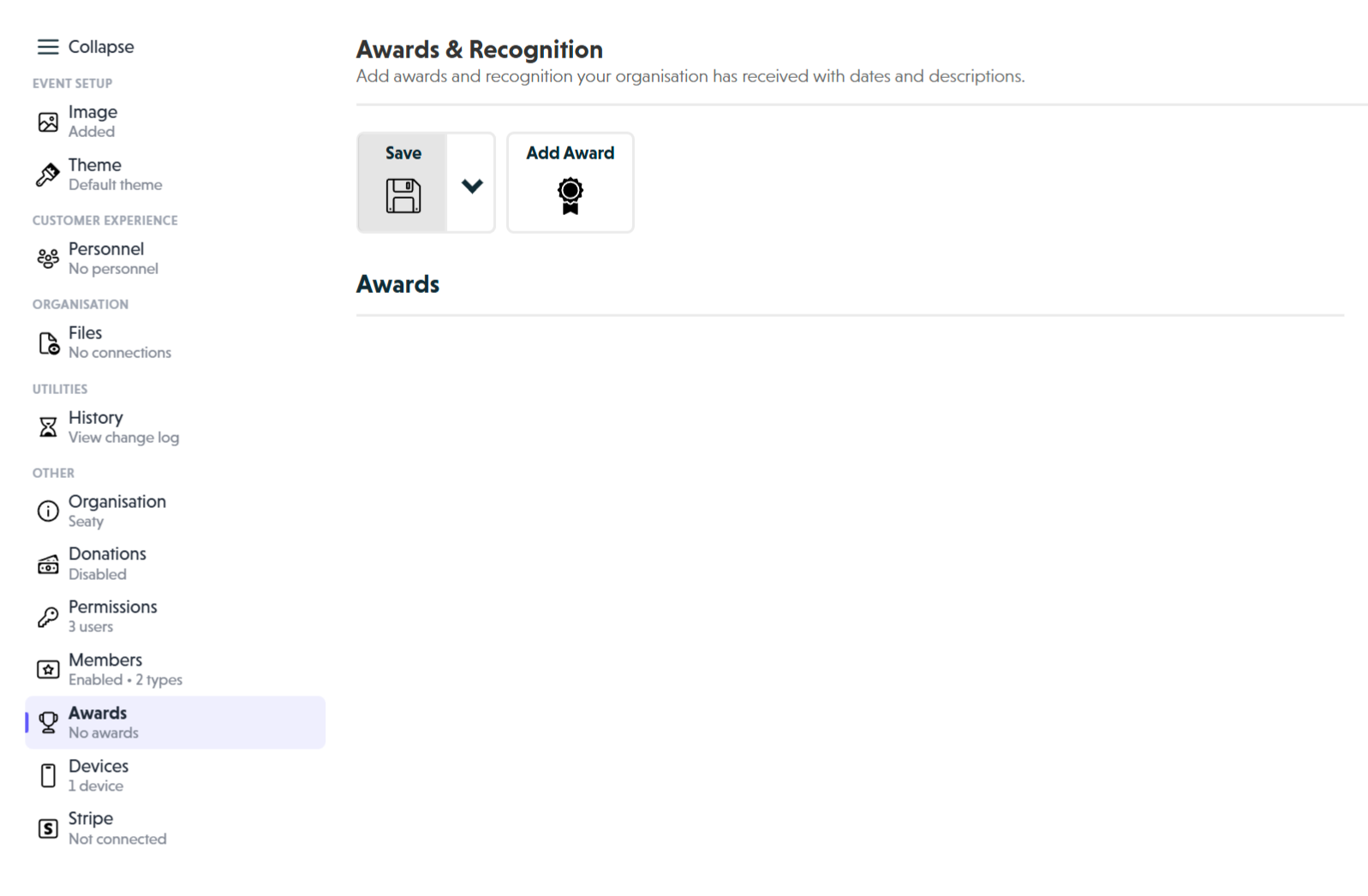 Awards section overview showing date picker, description field, and delete button for each award
How It Works
At a glance: You add awards in the organisation editor, save your changes, and they appear as trophy icons on your public organisation page.
1. Add your awards
Open the Awards section in your organisation editor and click "Add Award" for each recognition you want to display. Enter the date received and a description of the award.
2. Save your changes
Click "Save" in the toolbar. Your changes are not visible until you save.
3. Customers see your credentials
On your organisation page, customers see trophy icons. When they hover over a trophy, they see the date and description of that award.
Think of it this way:
- Awards are visual trust signals for your audience
- The trophy icons draw attention without dominating the page
- The hover details give context when customers want to learn more
Adding an Award
To add a new award:
- Open the Awards section in the Organisation Editor
- Click "Add Award" in the top toolbar
- Fill in the date and description
- Click "Save" to publish your changes
Date Field
Select when your organisation received this award.
What customers see: The month and year only (e.g., "Jan 2024")
Best practices:
- Use the actual date the award was received or announced
- For ongoing recognitions (e.g., "Registered Charity"), use the date it was granted
- If you do not know the exact day, use the 1st of the month
Description Field
Enter the name of the award or what it recognises.
Character limit: 1,000 characters
What to include:
- Award name or title
- Awarding organisation (for credibility)
- What the award recognises (optional)
Examples:
Best Musical Production - Regional Theatre Awards 2023
Outstanding Community Contribution Award - Manchester Arts Council
Registered Charity - Charity Commission for England and Wales
Why keep descriptions concise? Customers see this text in a small tooltip, so shorter descriptions are easier to read.
Managing Awards
Editing an Award
- Open the Awards section
- Update the date or description
- Click "Save" in the toolbar
Deleting an Award
- Open the Awards section
- Click "Delete" beneath the award
- Click "Save" to confirm
Note: Deletion takes effect when you save. There is no confirmation dialog.
Reordering Awards
Awards appear in the order they were created. To change the order:
- Note the details of all awards
- Delete the awards you want to reorder
- Add them back in the desired order
- Save your changes
What Awards to Include
Good candidates
Industry recognition:
- Best Production awards
- Technical achievement awards
- Festival awards and selections
Official status:
- Registered charity status
- Quality assurance certifications
- Professional memberships
Audience recognition:
- Best local venue awards
- Customer service awards
- People's choice awards
Consider excluding
- Internal awards with no external recognition
- Very old awards (10+ years) unless historically significant
- Participation certificates without achievement
- Awards from unknown organisations
Best Practices
Choosing the right number
2-5 awards works well for most organisations:
- Too few (0-1): May seem inexperienced
- Too many (10+): Can appear cluttered
Why this range? Focus on quality over quantity. A few meaningful awards carry more weight than many minor ones.
Writing effective descriptions
Good structure:
[Award Name] - [Awarding Organisation]
Effective examples:
Best Community Theatre - Arts Council England
Outstanding Youth Drama Programme - National Drama Association
Registered Charity - Charity Commission
Less effective examples:
We won an award for our production last year
BEST THEATRE EVER AWARD!!!!
Award (we got this from someone important)
Keeping awards current
Review your awards periodically:
- Remove very old awards that no longer reflect current standards
- Add new awards promptly after receiving them
- Update descriptions if award names change
- Remove expired accreditations
Common Questions
Adding Awards
Can I add awards I have not physically received yet?
Only add awards that have been officially announced. If you want to note a nomination, state it clearly in the description (e.g., "Finalist - National Theatre Awards 2024").
Should I include charity registration numbers?
You can add the number to the description:
Registered Charity - Charity Commission (Charity No. 123456)
Charity numbers also appear in the Donations section if you have Gift Aid enabled.
How many awards should I add?
There is no limit, but 2-5 awards is ideal for most organisations. Focus on your most impressive and relevant recognitions.
Display and Appearance
Can I upload a badge or logo for each award?
Currently, all awards use the same trophy icon. Custom badges are not supported.
Do customers see awards on event pages?
No, awards only appear on your organisation page. Event pages link to your organisation page where customers can view your credentials.
Types of Awards
Should I include internal awards?
Focus on external recognition from industry bodies, competitions, or accrediting organisations. Internal awards do not build credibility with customers.
Should I include participation certificates?
Focus on achievements. "Winner - Drama Festival 2023" is more impactful than "Participated in Drama Festival 2023".
Editing and Management
Can I change the trophy icon?
The trophy icon is fixed for consistency across Seaty.
What if the awarding organisation name is very long?
Use common abbreviations where appropriate (e.g., "Arts Council England" rather than the full legal name).
Next Steps
Once you have added your awards, consider:
- Organisation Details - Ensure your description and contact details are complete
- Image - Upload a high-quality organisation logo
- Theme - Customise colours to match your visual identity
- Personnel - Add staff profiles to show the people behind your organisation