Admin Notes and Referral Tracking on Customer Orders
 Order view showing admin section with add admin note and add referral options
Admin notes and referrals help event organisers track important information that customers never see. Notes capture customer service issues, special requests, and internal communication. Referrals track how customers discovered your event.
At its simplest, admin notes answer one question: What does my team need to know about this order?
Who uses this: Organisers and staff with the appropriate permissions.
Key capabilities:
- Add private notes to entire orders or individual tickets
- Track how customers heard about your event
- Record customer service interactions and special requests
- Analyse which marketing channels drive the most sales
How It Works
At a glance: Staff add internal notes to orders for team communication, and record referral sources to track marketing effectiveness.
1. Add notes when handling orders
When a customer calls with a special request or you need to record important context, add an admin note. These notes are visible to all staff but never to customers.
2. Choose the right level
Order-level notes apply to the entire purchase. Ticket-level notes apply to a specific ticket within an order. Use order notes for payment issues or general requests. Use ticket notes for individual dietary requirements or accessibility needs.
3. Track referral sources
When you know how a customer found your event, record the referrer's email address. This builds data over time showing which customers and channels bring in the most sales.
4. Analyse marketing performance
Review referral data to identify your best promoters, measure campaign effectiveness, and optimise your marketing spend.
Think of it this way:
- Admin notes are your team's private notepad for each order
- Referrals are marketing tags that track who sent the customer
Permissions Required
Adding Admin Notes
To add or edit admin notes on orders and tickets, staff need the Order Admin Notes permission. This is typically given to box office staff, customer service teams, and event managers.
Editing Referrals
To add or edit referral information, staff need the Edit Referrals permission. This is typically given to marketing managers and senior staff. Customers can also edit referrals on their own orders without needing this permission.
Working with Admin Notes
Adding Order-Level Notes
- Open the order you want to annotate
- Find the "Admin Notes" section in the order details
- Click to edit and enter your note
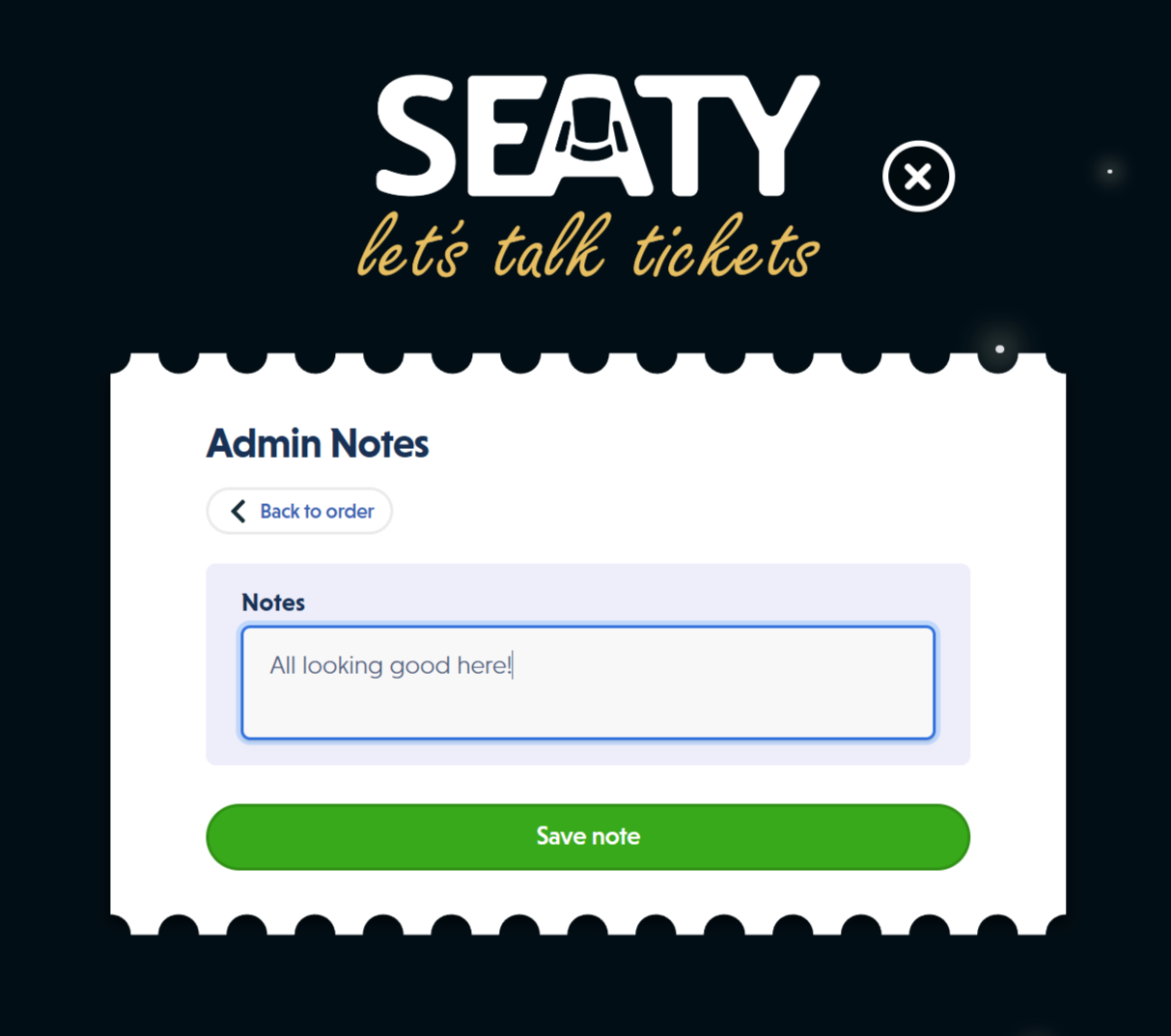
- Press Enter or click "Save note"
The note saves immediately and becomes visible to all staff viewing this order.
Why order-level notes? These capture information that applies to the entire purchase, such as payment arrangements, customer complaints, or special handling instructions.
Adding Ticket-Level Notes
- Open the order dashboard
- Click on the specific ticket
- Find the admin notes section for that ticket
- Enter your note and save
Why ticket-level notes? These capture information specific to one attendee, such as dietary requirements, accessibility needs, or seat preferences.
Editing and Removing Notes
To edit a note, click on it, make your changes, and save. To remove a note, delete all text and save the empty field.
Note: There is no revision history for admin notes. Each save replaces the previous note completely.
Working with Referrals
Adding a Referral
- Open the order
- Click "Edit referral" in the order details
- Start typing the referrer's email address
- Select from suggested matches or enter a new email
- Click "Update referral" to save
The system suggests existing customer emails as you type, reducing typos and ensuring consistent tracking.
Removing a Referral
- Click "Edit referral" on the order
- Click "Remove existing referral"
- Confirm the action
When to remove: If the referral was added in error or the customer disputes the attribution.
When to Use Admin Notes
Customer Service Scenarios
Payment Issues:
- Customer disputes or chargebacks
- Payment plan arrangements
- Refund processing context
- Box office collection instructions
Special Requests:
- Accessibility requirements
- Dietary restrictions for catered events
- Seat change requests
- Group booking coordination
Problem Resolution:
- Complaint details and resolution
- Follow-up actions needed
- Customer communication history
Team Communication
Shift Handoffs:
- Pending actions for the next team
- Important context for box office staff
- Special handling instructions
Record Keeping:
- Reasons for manual adjustments
- Documentation of phone calls or emails
- Decisions made on unusual situations
Writing Effective Notes
Good Practice
Be concise but complete:
- Include key facts and dates
- Note which staff member handled the issue
- Record decisions made and why
Use consistent formatting:
- Start with date and staff initials when multiple people add notes
- Separate different issues with clear breaks
- Use abbreviations your team understands
Focus on actionable information:
- What happened?
- What was decided?
- What needs to happen next?
Example Notes
Order-level note:
Customer called 10/12 - accessibility needs. Requires wheelchair space.
Moved to accessible section. Confirmed by email same day. - JB
Ticket-level note:
Vegetarian meal required. Confirmed with catering team.
Nut allergy - NO nuts in any dishes. - SM
What to Avoid
Do not include:
- Payment card details (use your payment provider's dashboard)
- Personal opinions about customers
- Speculation without facts
- Passwords or security information
Using Referral Data
Questions Referral Data Answers
- Which customers refer the most people?
- Which marketing campaigns drive the most sales?
- What percentage of orders come from referrals?
- Which referral sources have the highest order values?
Best Practices for Tracking
Consistency:
- Use standardised email formats for campaigns
- Train staff on when to record referrals
- Document your referral tracking approach
Data Quality:
- Use the autocomplete to avoid typos
- Regularly review referral data for errors
- Clean up duplicates when found
Privacy Compliance:
- Only track referrals with appropriate consent
- Follow data protection regulations
- Handle referral data according to your privacy policy
Common Questions
About Admin Notes
Can customers see admin notes?
No. Admin notes are internal only. Customers never see these notes in order confirmations, ticket emails, or their account.
What's the difference between admin notes and user notes?
Admin notes are private staff notes. User notes are messages from customers that appear on their orders. They serve different purposes and have different visibility.
Can I add notes to multiple tickets at once?
Currently, ticket-level notes must be added individually. Order-level notes apply to the entire order but do not copy to individual tickets.
What happens to admin notes if an order is cancelled?
Admin notes remain on the order record after cancellation, preserving the history and context.
About Referrals
Do referrals affect ticket pricing?
No. Referrals are purely for tracking and do not apply discounts. Use discount codes for price adjustments.
Can one order have multiple referrals?
No. Each order can only have one referral source. Choose the primary referrer if multiple people influenced the purchase.
What if a customer refers themselves?
This is technically possible but not meaningful for analysis. Only track referrals where someone else influenced the purchase.
Integration
How do admin notes relate to the order log?
The order log tracks automatic system events like status changes. Admin notes provide human context and decisions. Together they create a complete order history.
Can referrals and discount codes be used together?
Yes. An order can have both a discount code (for pricing) and a referral (for marketing attribution). They serve different purposes.